Peering Manager adapter
V3 route
Prepare a configuration package and register it. Then create and review a plan before applying the reviewed plan or running a confirmed sync; Run a sync has the canonical procedure.
What is Peering Manager?
Peering Manager lets you effortlessly manage and document your network’s peering sessions and interconnections with pre-configured data models and automation for seamless BGP session management.
Sync directions supported
- Peering Manager → Infrahub
- Infrahub → Peering Manager
Schema
Our infrahub repository contains an example schema that serves as a starting point for syncing Peering Manager data into Infrahub.
This schema follows best practices for Infrahub, but it does not map the Peering Manager data model one-to-one since Infrahub may have additional use cases.
This example is using the "base" demo schema and use an extension for Peering Manager.
Base Schemahttps://github.com/opsmill/infrahub/blob/stable/models/base/ Peering Manager Extensionhttps://github.com/opsmill/infrahub/blob/stable/models/examples/extension_peering_manager.ymlInstalling the example schema
To install the example schema into Infrahub, follow these steps:
mkdir peeringmanager-sync
cd peeringmanager-sync

# Fetch the list of YAML file names from the peeringmanager folder
curl -s "https://api.github.com/repos/opsmill/infrahub/contents/models/base?ref=stable" | jq -r '.[].name | select(endswith(".yml"))' | while read file; do
  curl -O "https://raw.githubusercontent.com/opsmill/infrahub/refs/heads/stable/models/base/$file"
done
curl -O "https://raw.githubusercontent.com/opsmill/infrahub/refs/heads/stable/models/examples/extension_peering_manager.yml"

infrahubctl schema load *.yml
Configuration
infrahub-sync allows defining what gets synchronized from a source to a destination.
The two shipped config.yml files are legacy mapping inputs that match the example schema; wrap the selected mapping in a V3 configuration-package envelope before registration.
To download those examples config.yml
curl https://raw.githubusercontent.com/opsmill/infrahub-sync/refs/heads/main/examples/peering-manager_to_infrahub/config.yml > config.yml
curl https://raw.githubusercontent.com/opsmill/infrahub-sync/refs/heads/main/examples/infrahub_to_peering-manager/config.yml > config.yml
Configuration parameters
To instruct infrahub-sync to use the Peering Manager adapter, set peeringmanager in the direction 'name', you want to use for Peering Manager.
The settings dictionary is passed directly to the REST API client for Peering Manager for authentication and connection details.
Below is a snippet from the example config.yml file:
- Source example
- Destination example
---
name: from-peering-manager
source:
name: peeringmanager
settings:
    url: "https://<PEERING-MANAGER-ENDPOINT>"
    api_endpoint: "api" # Default value
    auth_method: "token" # Default value
    # auth_method: "token"
    token: "<TOKEN>"
---
name: to-peering-manager
destination:
name: peeringmanager
settings:
    url: "https://<PEERING-MANAGER-ENDPOINT>"
    api_endpoint: "api" # Default value
    auth_method: "token" # Default value
    # auth_method: "token"
    token: "<TOKEN>"
    verify_ssl: true # Default value
For direct adapter use, Peering Manager reads PEERING_MANAGER_ADDRESS or PEERING_MANAGER_URL, PEERING_MANAGER_TOKEN, and, for basic authentication, PEERING_MANAGER_USERNAME and PEERING_MANAGER_PASSWORD. These names take precedence over declared settings. Rename any bare USERNAME and PASSWORD variables used for Peering Manager authentication to their PEERING_MANAGER_ forms; bare names are no longer read. Registered configuration packages use declared or resolved credentials instead of ambient environment variables.
You can pass params for the REST API client, used by Peering Manager adapter, in the settings. For example limit
Schema mapping
The configuration file allows mapping tables from PeeringManager into Infrahub models. Below is an example showing how to:
- Set the destination Infrahub model (
InfraBGPCommunity) - Map source data from Peering Manager (
peering/communities) - Specify field mappings between Peering Manager and Infrahub models
  - name: InfraBGPCommunity
    mapping: peering/communities
    identifiers: ["name"]
    fields:
      - name: name
        mapping: slug
      - name: label
        mapping: name
      - name: description
        mapping: description
      - name: value
        mapping: value
      - name: community_type
        mapping: type
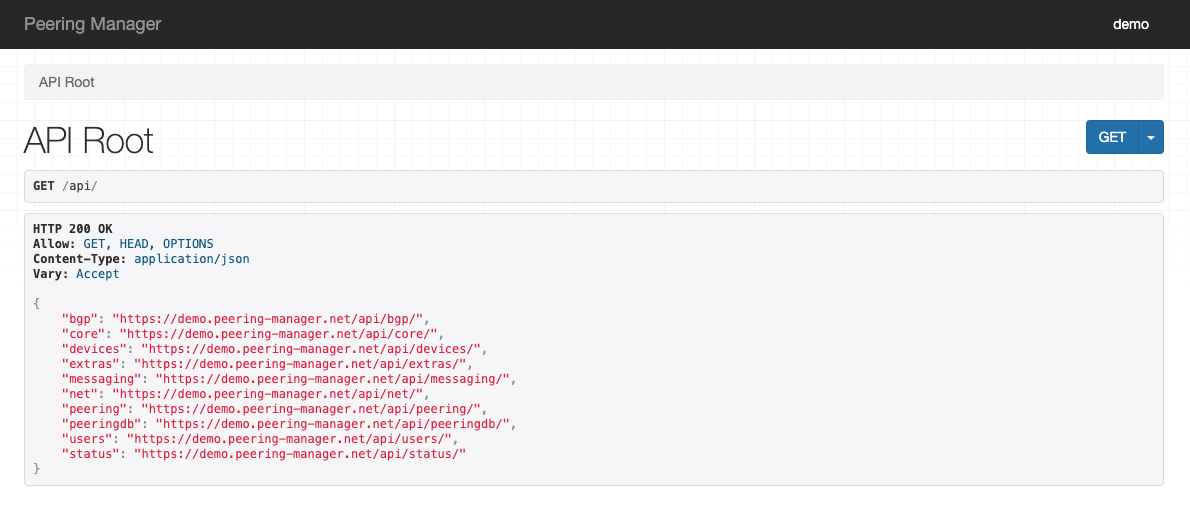
The models available on Peering Manager can be find in the /api of your instance.
Peering Manager API Swaggerhttps://demo.peering-manager.net/api/schema/swagger-ui